

The whole family, on one page.
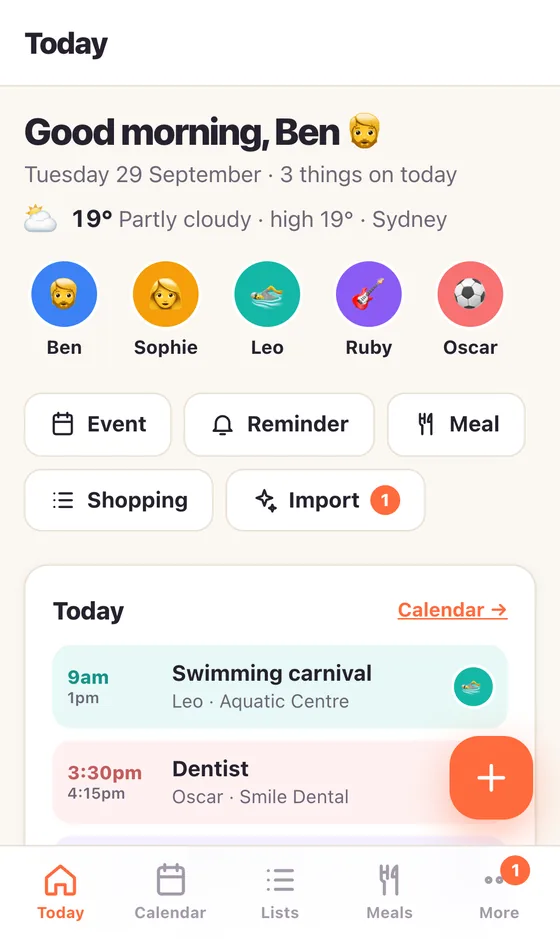
Calendar, meals, chores, lists and reminders — colour-coded by person and synced to every phone and the kitchen screen the moment anyone changes something.
Free, no credit card required. Takes about a minute. Works on iPhone, Android, iPad and any computer.
Everything a family juggles, in one place
Not another app for one person. Kinly Staging is shared from the start, so the plan everyone sees is the plan everyone has.
One family calendar
Everyone gets a colour. See the day, the week or the month, add things in a tap, and set who it’s for. Repeat anything weekly, fortnightly or monthly.
Meals & recipes
Plan the week’s dinners, drag them around, and send the ingredients to the shopping list. Import recipes from most websites, a photo or a screenshot.
Chores with stars
Kids tick off their chores and earn stars towards prizes they actually want. Early-bird bonuses, streaks and habits keep it going.
Lists that sync
Shopping, to-do, the party list — shared and live. Add “milk, bread, bananas” in one go; tick things off from any phone in the aisle.
Reminders & alarms
Alarms that ring out loud on the family screen and notify your phone, with snooze, ringtones and a ring length you choose. Reminders for the bins, the fees, the form.
In your phone’s calendar too
Two-way sync with the iPhone Calendar app, set up with a short guided install. Android works through a calendar-sync app such as DAVx⁵, or any calendar can subscribe to a read-only feed.
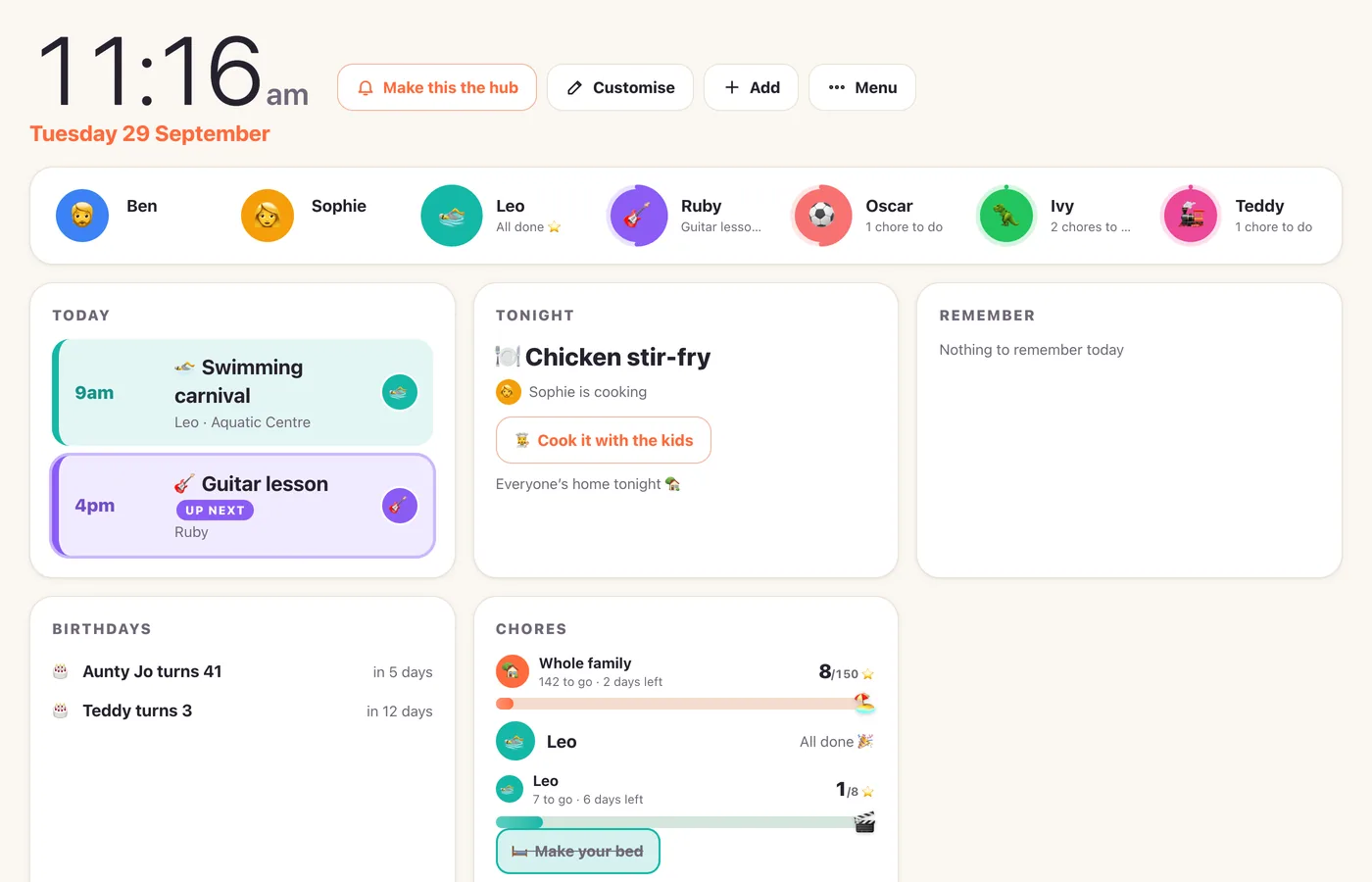
A family board for the kitchen
Put an old iPad or a screen on the wall and it becomes the hub: the clock, today’s weather, who’s where, tonight’s dinner and each child’s chores — big enough to read from the bench.
- Drag the widgets around and pick what shows
- Only things shared with the whole family appear — private plans stay private
- Alarms ring out loud here, and stop on every screen when someone cancels
- Birthday mode dresses the whole board up on the day
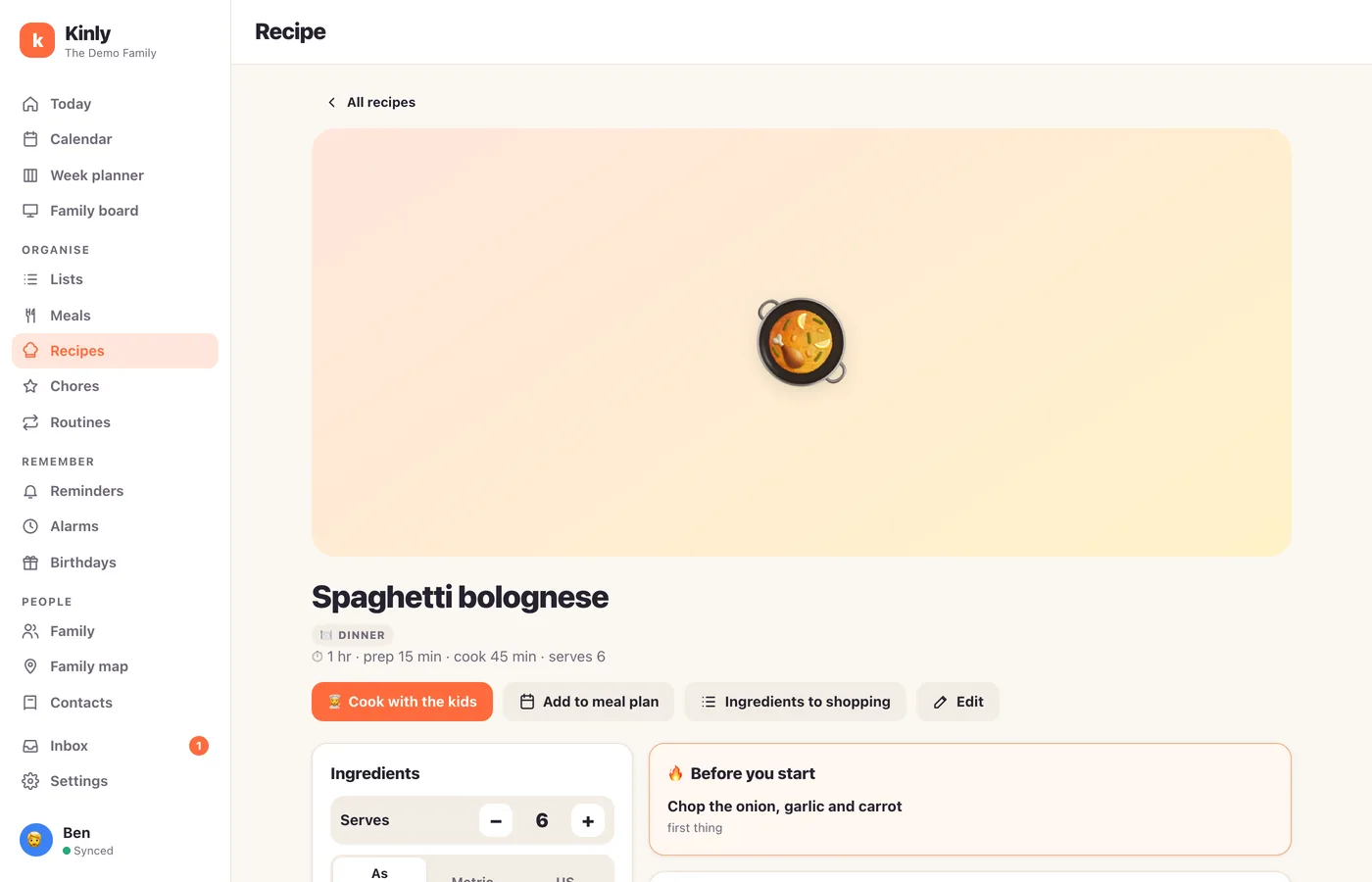
Cook from any recipe, together
Paste a link or snap a photo of a cookbook page (on Android you can share straight from the browser) — the recipe lands in your family cookbook, tidy and scaled to how many you’re feeding.
- Steps marked as ones the kids can do
- Cook mode with big text and built-in timers
- “Before you start” warnings for marinating and thawing
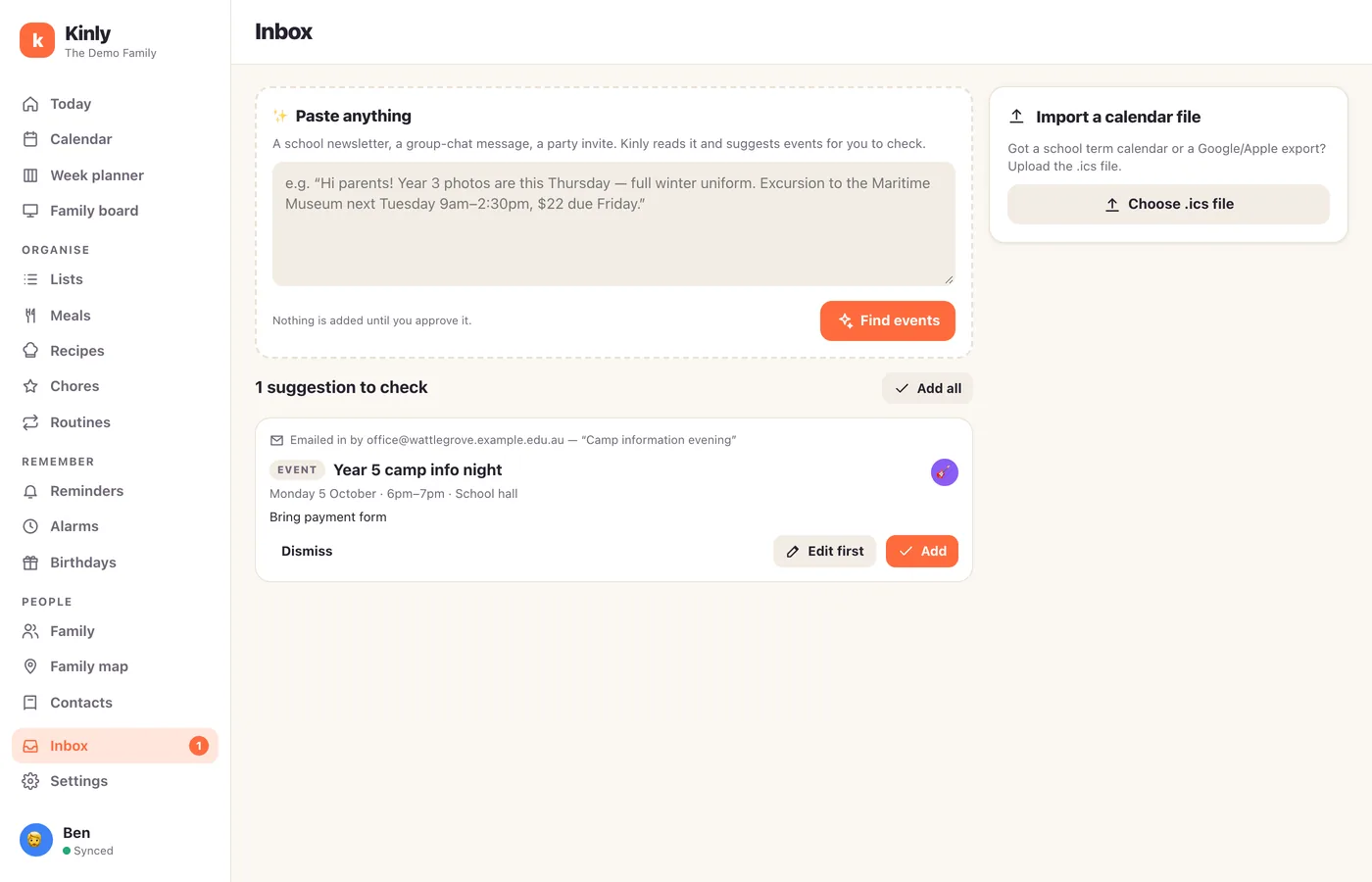
Paste the school newsletter. Done.
Drop in a newsletter, a group-chat message or a party invite and Kinly Staging reads it and suggests the events — dates, times, who it’s for. You check them and tap Add.
- Nothing is added until you approve it
- Edit the date, time or who it’s for before you add it
- Everyone in the family sees it straight away
Up and running before the kettle boils
Create your family
Your name, your email, a password. Add the kids by name — no accounts needed for them.
Invite the others
Text or email each person their own invite link — your partner, the teens, Grandma. They join with their own login and see the same plan.
Add it to your phone
A few taps put it on your home screen, and a short setup connects your phone’s calendar. Put a screen in the kitchen when you’re ready.
Questions families ask
Is it free?
Yes. Kinly Staging is free, and no credit card is required.
Do the kids need their own accounts?
No. Add them as people in the family and they appear on the calendar and chores. Older kids can have a login if you want them ticking things off themselves.
Does it work on iPhone and Android?
Yes. It runs in the browser and can be added to the home screen on both, plus iPad and any computer. Nothing to download from an app store.
Can I keep some things private?
Yes. Events can be for the whole family, a few people or just you, and reminders can be just for you. Date night can stay between the two of you — and private plans never show on the shared family board.
Is our data safe?
Your plans are only visible to your family. Everything travels encrypted, passwords are stored scrambled (hashed) so nobody can read them, and we don’t sell your data. You can delete your account at any time: your login, devices and settings are removed, while the things you added stay with your family. The privacy policy has the details.
Can I try it without signing up?
Yes — open the demo family. Add things, move dinners around, tick off chores. It all stays on your device, so nothing you do there affects anyone else.
Give your family one page
Free, no credit card required. Set it up tonight; everyone will know what’s on tomorrow.